The platform consists of two main areas. Both you can see below on the screenshot.
-
Left Panel — Strategy Setup,
-
Right Panel — AI Strategies & Backtest Results.
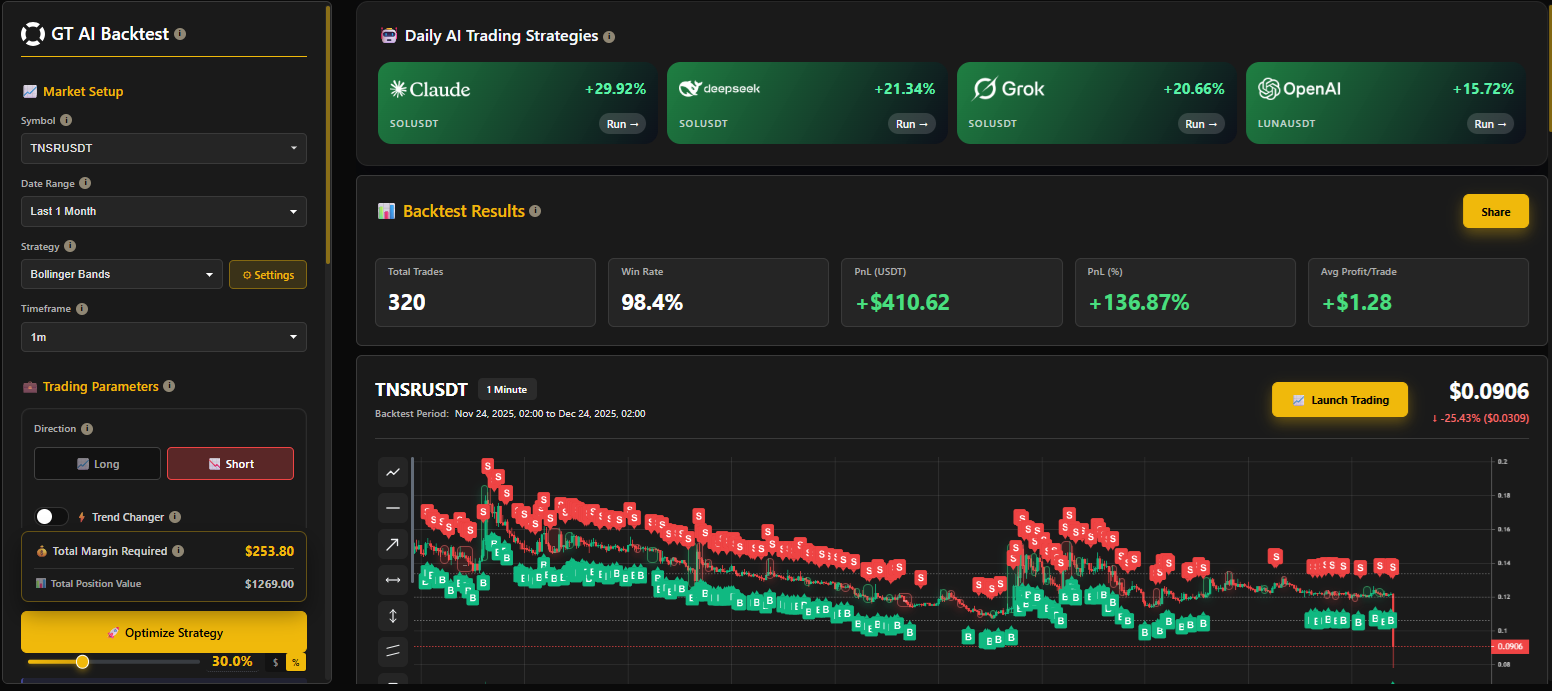
gt-app backtest main screen screenshot
1. Left Panel — Strategy Setup
Here, the user creates, configures, and optimizes the strategy.
Contains the following blocks:

gt-app backtest Strategy Setup screenshot
1.1 Market Setup
-
Coin Selection (Symbol)
-
Period Selection (Date Range)
-
Timeframe Selection (Timeframe)
Any changes here immediately recalculate the backtest results and are displayed on the right.
1.2 Trading Parameters
Entry parameters that determine the logic of the trade:
-
Direction (Long / Short)
-
Trend Changer toggle
-
Initial Margin (Collateral)
-
Leverage
-
Take Profit %
a. Trailing Take Profit toggle
b. Trailing Deviation (if toggle is switched on) -
Enable Stop Loss toggle
a. Stop Loss % (if toggle is switched on)
1.3 DCA / Safety Orders
For users who want to work with averaging:
- Enable Safety Orders
a. Safety Order Size %
b. Number of Safety Orders
c. Max Simultaneous SO
d. Martingale Ratio
e. Price Deviation
f. Martingale on Deviation
These parameters simulate the strategy's behaviour during a drawdown.
1.4 Total Margin Required
The bottom of the block always displays:
-
the total amount required for the strategy to work,
-
the total cost of the position,
-
the "Optimize Strategy" button, which leads to the optimization page.
This area helps the user understand whether their deposit is sufficient.
1.5 Optimize Strategy
The Optimize Strategy button in the left block takes you to the optimization page.
The engine includes realistic slippage modeling, orderbook depth approximation, maker/taker fee simulation, and rolling-window volatility analysis to ensure accurate replication of real trading conditions.
