To authorize yourself on Hyperliquid, you need to connect your wallet.
Below are Metamask step-by-step instructions.
1) Open Hyperliquid and click connect.
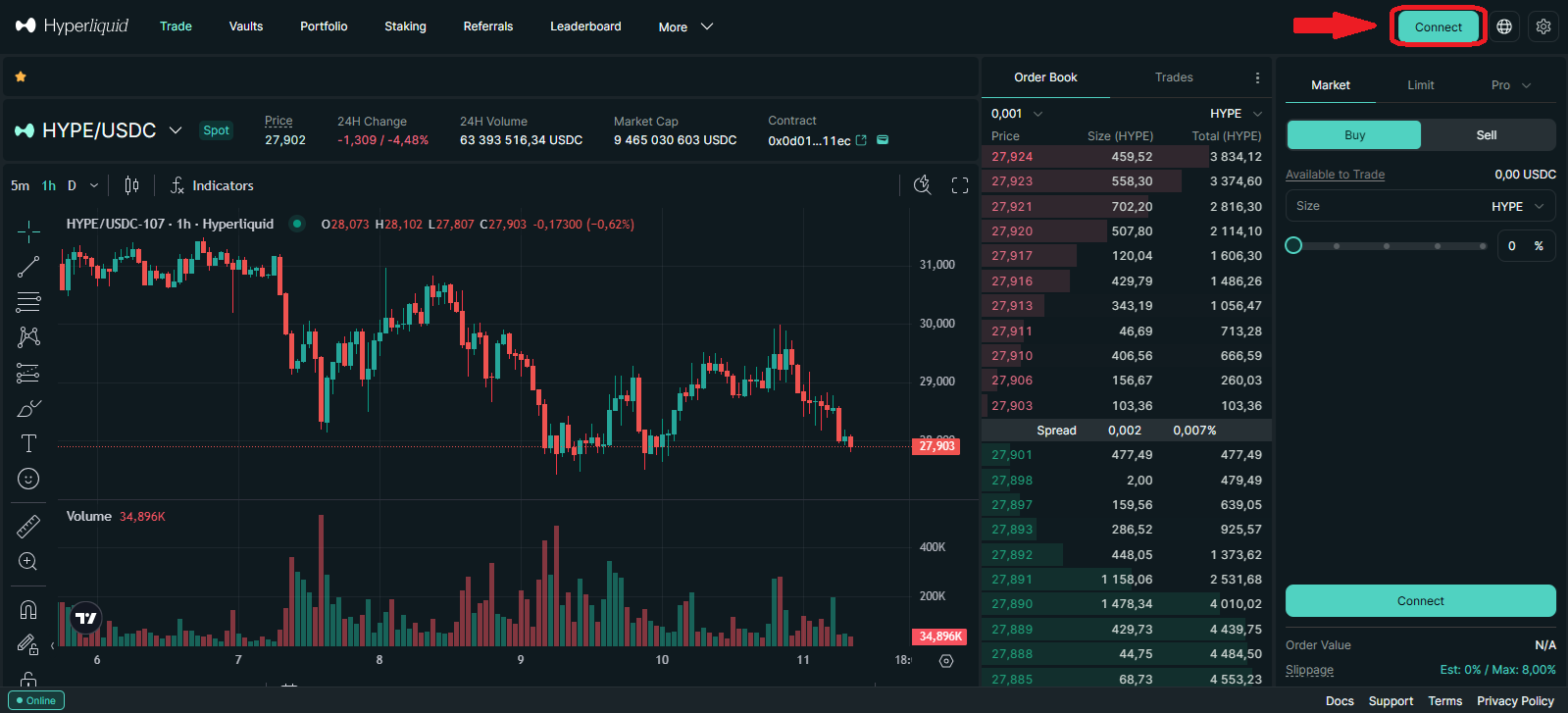
In the top-right corner of the exchange interface, click the Connect button.
2) Select MetaMask
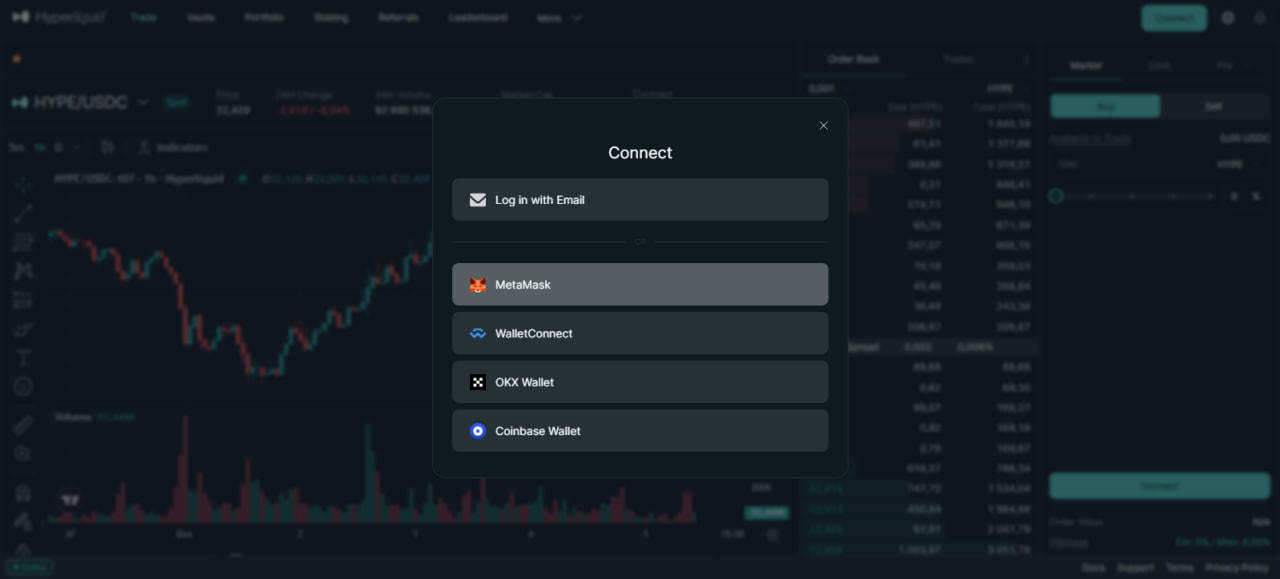
In the wallet selection window, choose MetaMask(or Browser wallet if MetaMask is grouped under that option).
A MetaMask pop-up will appear asking you to connect.
3) Confirm the connection in MetaMask
Double-check that the website URL is app.hyperliquid.xyz.
Select the account you want to use.
Click Next → Connect.
4) Enable trading (Enable Trading)
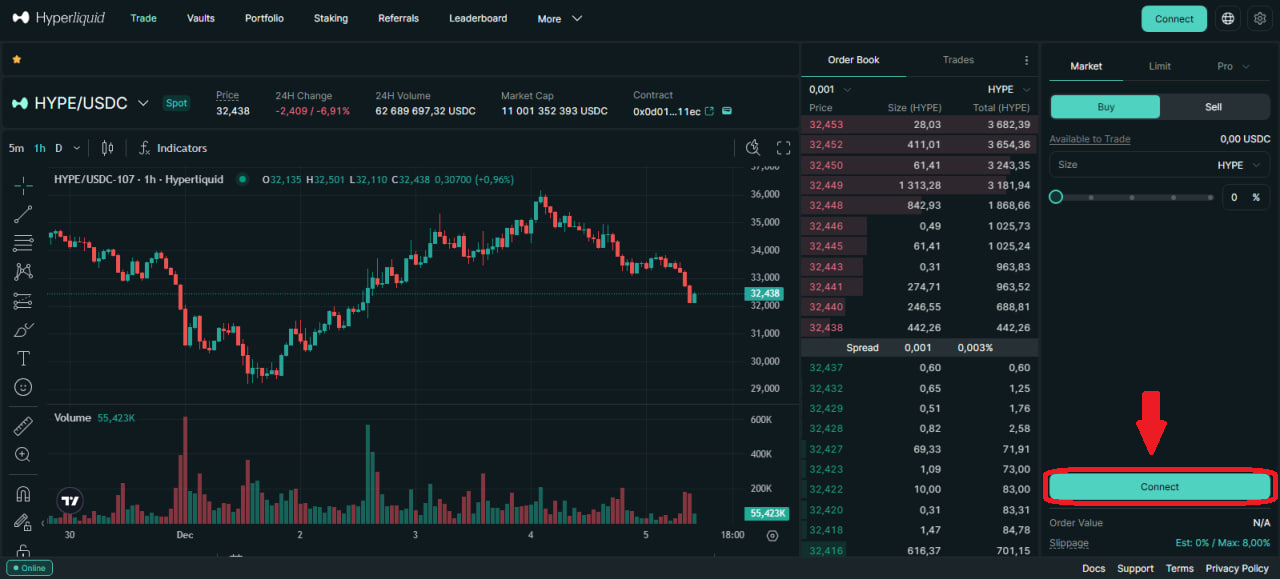
After connecting the wallet, you’ll see an Enable Trading button in the Hyperliquid interface.
Click it - MetaMask will show a request to sign a gasless transaction (this is an off-chain signature to authorize trading from your wallet on Hyperliquid L1).
Click Sign in MetaMask. There is normally no gas fee for this step.
Please keep in mind that it is not necessary to use Metamask specifically.
You can use any wallet you are familiar with that is compatible with Hyperliquid.
The next step is creating Private Keys and linking your account to the GT App.
(Optional) Adding the Hyperliquid EVM network to MetaMask
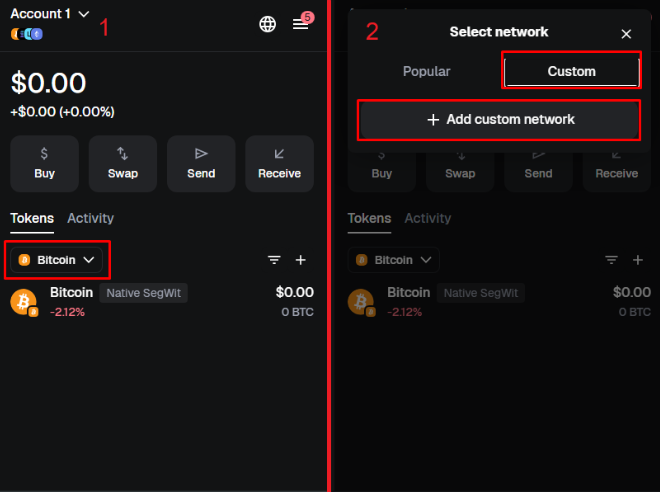
This step is optional and needed only if you want to interact directly with the Hyperliquid EVM network (for example, for on-chain features, HYPE token, etc.), not just trade via the web interface.
Open MetaMask network settings and click on the network dropdown at the top of MetaMask. Click Add network → Add a network manually.
Fill in the Hyperliquid EVM network details.
Network name: Hyperliquid EVM
RPC URL: https://rpc.hyperliquid.xyz/evm
Chain ID: 999
Currency symbol: HYPE
Block explorer (optional): https://hyperevmscan.io
Save and switch to the network
MetaMask will offer to switch to the new network - you can confirm if you plan to use Hyperliquid EVM right away.
